Bill Tracker Without Bank Connection
Track due dates, recurring bills and paid status manually with Billiary, without linking your bank accounts.
Track obligations rather than bank transactions
A bank feed tells you about transactions that have occurred. A bill list helps you plan for obligations before they are paid. Add expected amounts and dates for rent, utilities, insurance and subscriptions.
Create a reliable manual routine
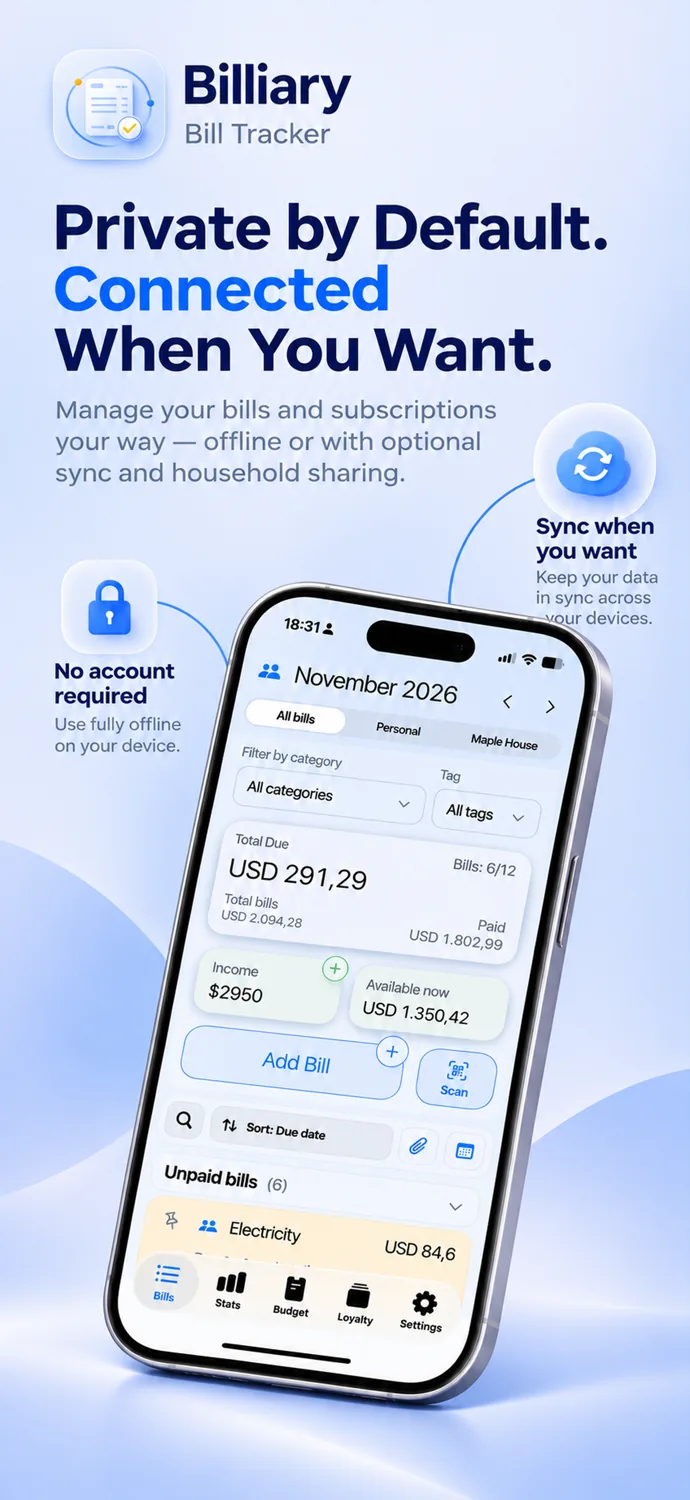
Enter a bill when you receive it, set its due date and recurrence, and mark it paid once you complete the payment. Record the actual paid date when it differs from the due date.
Review income and upcoming expenses
Use monthly totals and optional income tracking to understand your planned obligations. Update variable bills when the invoice arrives. Manual records depend on you keeping them current.
Choose your own level of connectivity
No bank connection is needed for Basic, Premium or optional Sync. Sync connects supported Billiary records across devices, not your bank account.
FAQ
Will Billiary automatically detect bank payments?
No. You maintain and mark your bill records yourself.
Can I import an existing bill list?
Yes. Basic supports CSV import.
Download Billiary
Start with Billiary and choose the features that fit your routine.