
Billiary
Simple daily app for tracking your monthly bills
Android · iOS · Huawei · Personal finance

Stay ahead of your bills.
No spreadsheets.
No stress.

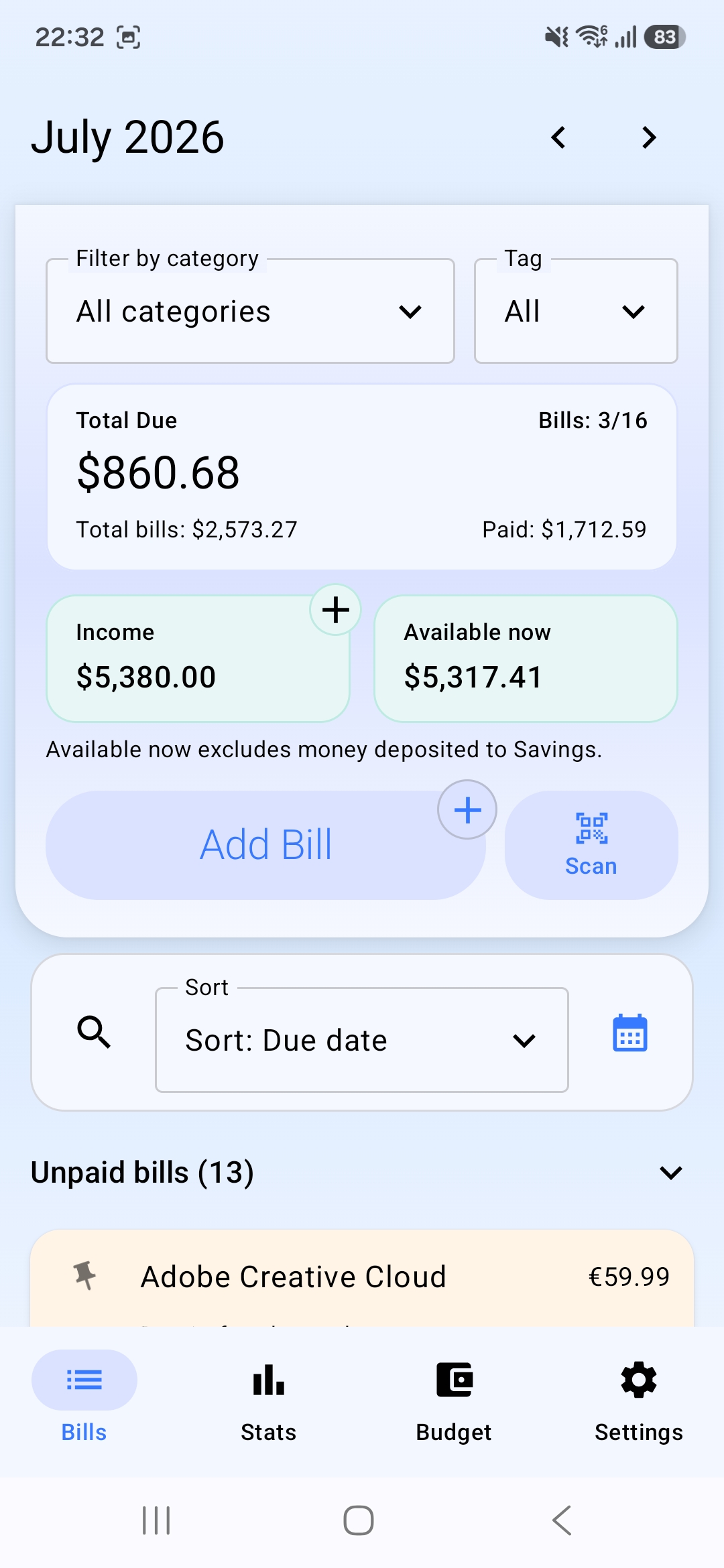
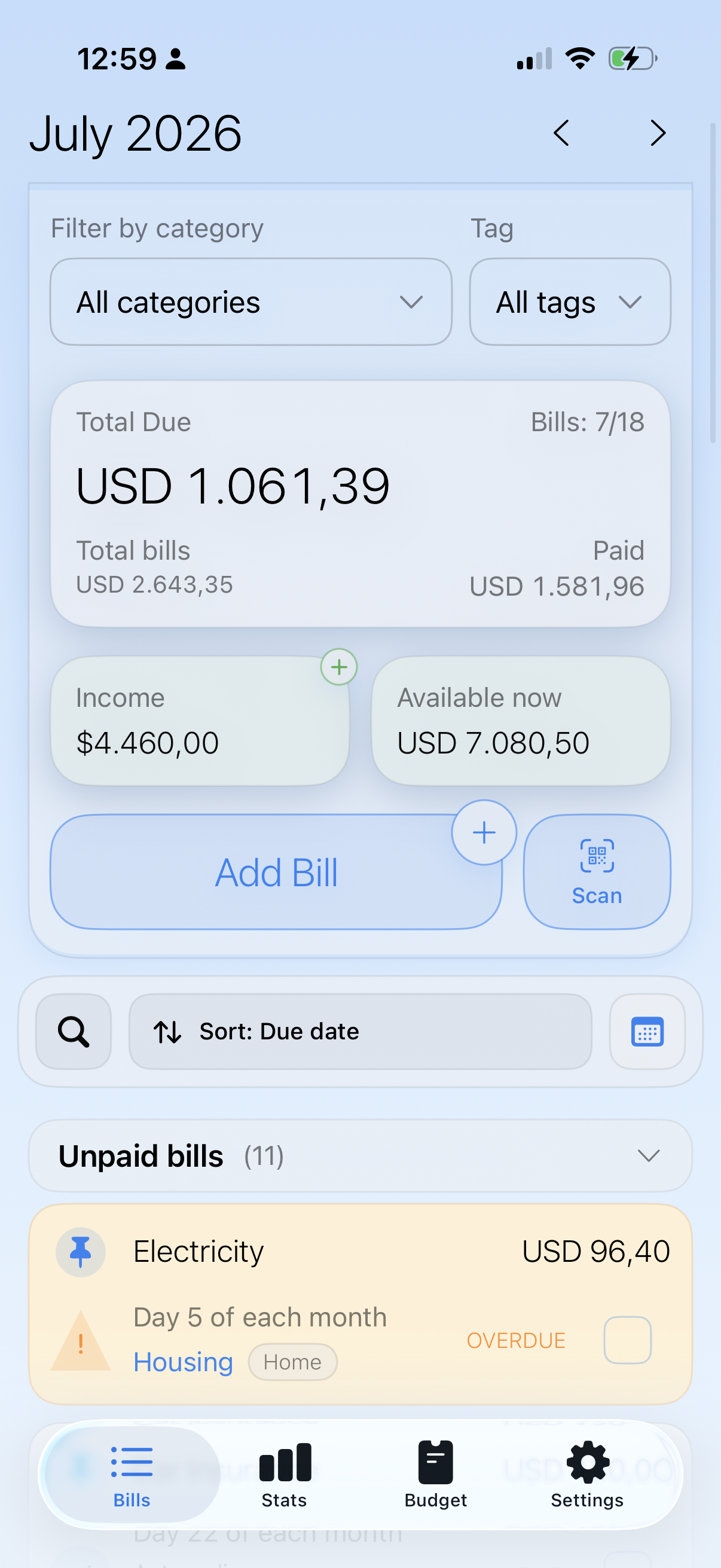
Billiary is a simple, offline-first bill tracker application that helps you remember what's due, when it's due, and what's already paid - with subscriptions, smarter search, widgets, reminders, Smart Attachments, and spending insights in one clean, distraction-free app.

Get the app:

No account required in the free version. Your data stays on your device.

Free forever
Optional premium upgrade

Start simple. Grow when you need more.

Use Billiary completely free for everyday tracking, or unlock advanced tools and deeper insights with Premium - while keeping everything offline.

Basic · Free forever

No account needed

Track your bills with ease - no sign-ups, no servers, no data sharing. Everything stays on your device, just the way it should. Designed to cover everything you need for day-to-day bill tracking - without complexity or lock-in.

  • Bills & tracking
    • One-time, recurring, and custom recurring bills
    • Subscription tracking with renewal dates and categories
    • Optional income tracking and simple monthly totals
    • Search by bill name, notes, or amount across previous months
    • Current-month matches first, with older results grouped by month
  • Smart reminders
    • Local notifications so you never miss a due date
    • List and calendar views for reviewing what is coming up
    • Home screen widgets for upcoming, overdue, and monthly bill status
  • Payment cards and fees
    • Add multiple payment cards and choose a default card
    • Assign a card when adding or editing a bill
    • Record payment fees alongside the bill amount
    • Preserve payment cards and assignments in backup and restore
  • Offline loyalty cards
    • Add loyalty and membership cards with the camera, photo library, or manual entry
    • Keep detected barcodes and QR codes ready for full-screen scanning
    • Search, favorite, rename, and manage card images without an account
  • Move your bills into Billiary
    • Import bills from CSV files created by another app or spreadsheet
    • Map familiar columns, review validation problems, and check likely duplicates
    • Preview everything before confirming—Billiary never imports silently
  • Offline & privacy-first
    • No account required
    • No cloud sync - your data stays on your device
    • Sunday or Monday week start, plus a default Bills view setting

Basic is free with no ads, works fully offline, and requires no account.
★Premium

Advanced insights & power features

Unlock advanced tools designed for users who want deeper insights and more control - while keeping everything offline and stored locally on their device.

  • Export polished Month, Year, Last 12 Months, and selected-period reports as PDF or spreadsheet-ready CSV
  • Move supported structured data between iOS and Android with a common versioned CSV archive
  • Complete ZIP backup and restore, including attachments, settings, and loyalty-card images, with legacy JSON import support
  • Advanced statistics and insights:
    • Flexible Spending periods with category, tag, source, and paid-bill details
    • Category and tag trends over time
    • Rolling monthly history and spending/income comparisons
    • Subscription spending summaries
    • Monthly Bills-to-Income ratio with bill and payment-fee details
    • Card spending totals, shares, fees, and paid-bill counts
    • Multi-currency charts with native totals and clearly labeled conversions
  • Card spending controls
    • Set an optional monthly spending limit for each payment card
    • See remaining limits and informational over-limit notices
    • Review current and previous months without leaving Stats
  • Advanced loyalty organization
    • Create custom collections and filter cards with collection chips
    • Reorder cards to match the way you use them
    • Preserve supported card code metadata in JSON backups
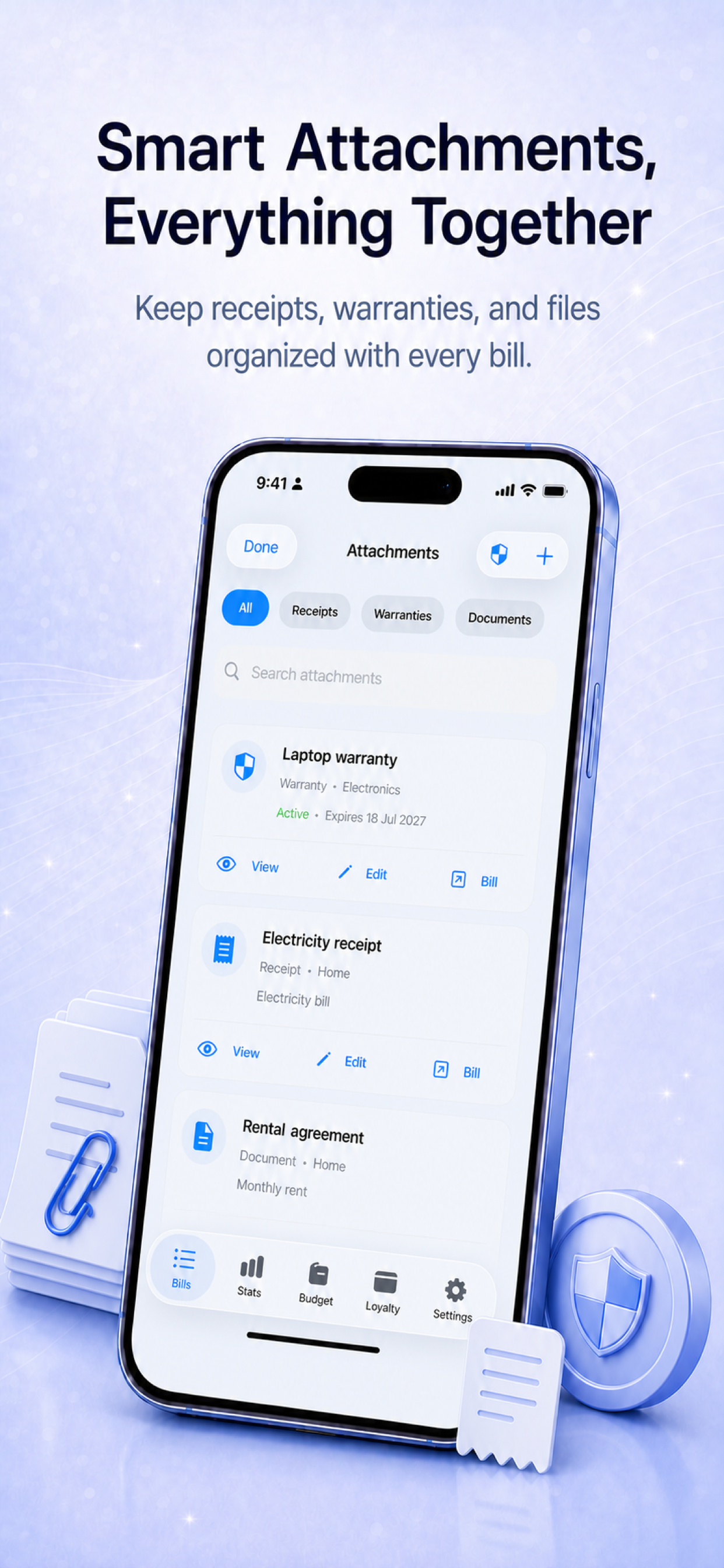
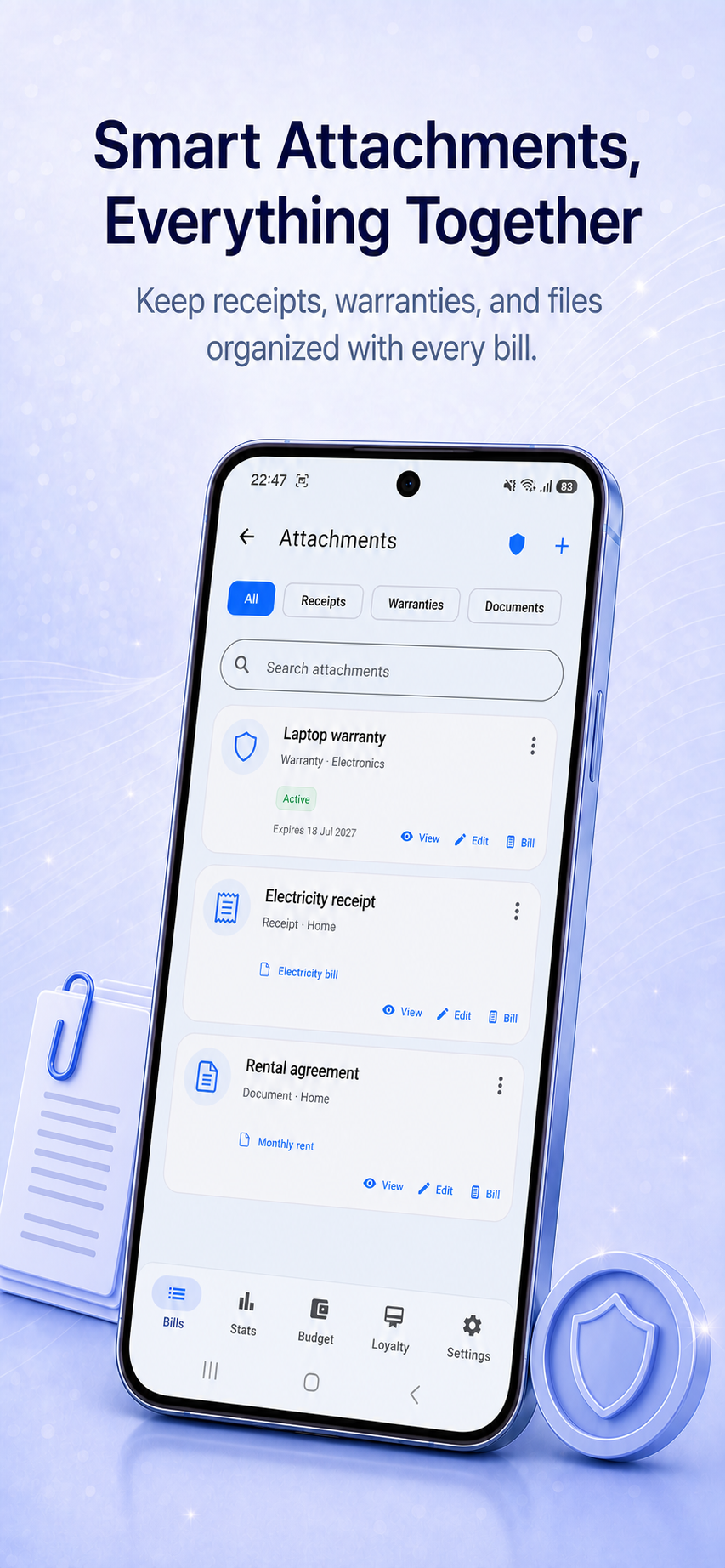
  • Smart Attachments and warranties
    • Browse and search receipts, warranties, PDFs, photos, and documents in one dedicated library
    • Add a document first, then link it to an existing bill or create a prefilled new bill
    • Track warranty dates, notes, status, and independent reminders
    • Reuse files across recurring bills without creating duplicate attachments
    • Choose attachment visibility and a default warranty duration in Settings
  • Multiple reminders per bill
    • Get notified 7, 3, or 1 day before a due date
    • Default reminder set to 1 day
    • Custom reminders saved per bill
  • Default recurring settings
    • Choose the default recurrence for new bills
    • Set monthly or one-time as your preferred option

Premium is optional and does not affect the core offline experience.

New in Billiary 1.13

Your bills can move with you

Bring bills in from another app, export useful data to your favorite spreadsheet, or move supported records between Billiary on iOS and Android—all with an on-device preview before anything changes.

Basic

Start with the bills you already have

Map columns from an external CSV, review errors and duplicates, then import only the valid records you choose.

Premium

Put Stats to work elsewhere

Export the records behind your selected report period as CSV for Excel, Numbers, Google Sheets, and similar tools.

Cross-platform

Switch without starting over

Transfer supported structured data between iOS and Android with the same versioned Billiary CSV format.

Introduced in Billiary 1.10

Receipts, warranties, and documents - finally connected to your bills

Add a file first or start from a bill, find everything in one searchable library, and keep warranty dates ready when you need them.

FAQ

Common questions

Quick answers for people comparing bill tracker apps or checking whether Billiary fits their workflow.

Is Billiary free?

Yes. Core bill tracking works for free. Premium adds advanced tools while the basic app remains usable.

Does Billiary require an account?

No. Billiary is local-first and works without sign-in. Accounts and cloud features are planned as optional upgrades later.

Does Billiary work offline?

Yes. Bills, reminders, categories, statistics, and backups can be managed locally on your device.

Can I back up or move my data?

Yes. Use a complete local backup for recovery, or a Premium CSV archive to move supported structured data between Billiary on iOS and Android. Basic users can also import bills from another app’s CSV.

Is Billiary available on Android and iPhone?

Yes. Billiary is available for Android and iOS, with Huawei AppGallery support as well.

Can I track recurring bills?

Yes. Billiary supports one-time and recurring bills, reminders, paid dates, categories, income, and statistics.

Free resource

Monthly Bill Checklist PDF

Download a simple printable checklist for tracking bills by due date, amount, paid status, and notes.

Support & updates

Billiary is designed to stay simple, reliable, and privacy-first. For support, feedback, or updates about future features and platforms, you can reach us through the channels below.

Email: support@billiary.com

Updates:  

For more apps, visit www.simpledailyapps.com