Keep Receipts, Invoices, and Bill Attachments Organized
Some bills are simple: name, amount, due date, paid. Others need context. You may need a receipt for reimbursement, an invoice for taxes, a screenshot for proof, or a PDF for warranty and household records.
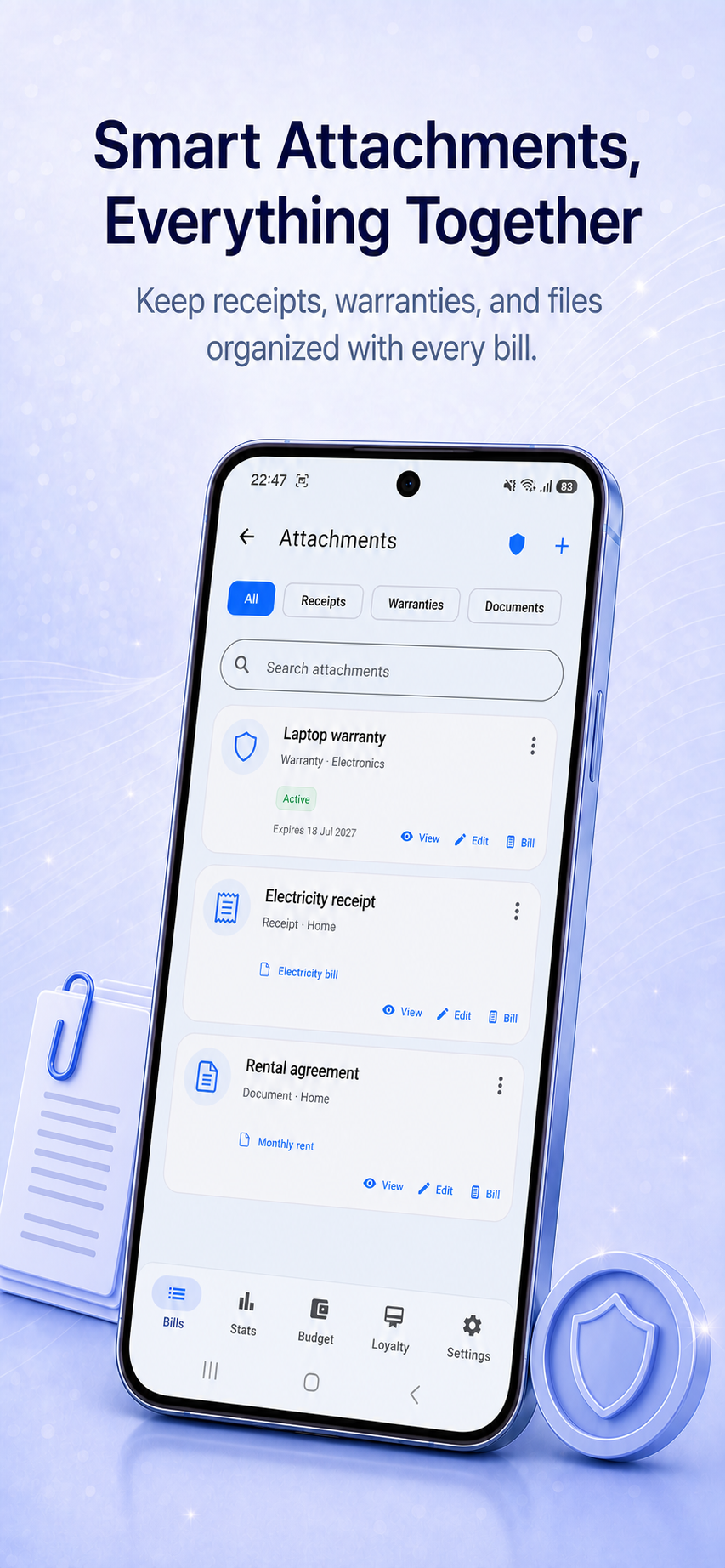
Billiary Premium lets you attach photos, PDFs, screenshots, receipts, warranties, and other documents to individual bills. Billiary 1.10 also adds a dedicated Smart Attachments library, so you can search and browse documents even when you do not start from a bill.
Add the document first
You can import a document from the Attachments screen, then link it to an existing bill or create a new bill with the chosen file already attached. This works well when the receipt or invoice arrives before you create its payment record.
Why attach receipts to bills?
Receipts and invoices are easy to lose when they are stored separately from the payment record. They may be in email, downloads, camera roll, messages, cloud storage, or paper folders. When you need them later, the search takes longer than the original payment.
Attaching files to bills creates a cleaner record: the bill explains the payment, and the attachment proves or documents it.
Useful attachment examples
- Utility bill PDFs.
- Repair invoices and service receipts.
- Insurance documents.
- Travel receipts and screenshots.
- Medical bills and payment confirmations.
- Warranty documents for household purchases.
- Subscription invoices and app store receipts.
Better history for irregular bills
Irregular bills often need explanation. A car repair, annual registration, school payment, tax document, or insurance adjustment may not repeat monthly, but it can still matter months later.
Keeping the receipt attached to the original bill makes the history easier to understand when you review old months.
Organize documents without a separate filing system
A separate receipt folder can work, but it creates another place to maintain. Billiary keeps bill documents connected to the bill entry itself. When you open the bill, you can review the amount, paid status, due date, category, paid date, and attachment together.
Offline-first document organization
Billiary is designed as an offline-first bill tracker. Bill data is stored locally, and attachments are part of that practical local workflow. This keeps the experience simple and avoids requiring an account just to organize everyday payment records.
Complete local backups
Premium ZIP backups can include bills, attachments, and loyalty-card images. Shared files are included once and reused during restore, while supported legacy JSON backups remain importable.
When attachments are worth using
- The payment might need proof later.
- The amount is unusual or variable.
- The bill belongs to travel, work, taxes, warranty, or insurance.
- The payment was shared with someone else.
- The receipt explains why the bill was higher than usual.
FAQ
Can I attach PDFs to bills?
Yes. Billiary Premium supports attaching PDFs and other supported documents to bills.
Can I attach photos or screenshots?
Yes. You can attach photos, screenshots, receipts, and similar files to keep visual proof with a bill.
Do attachments replace categories or notes?
No. Attachments complement your bill details. Categories, paid status, due dates, paid dates, and notes still help you understand the bill quickly.
Download Billiary
Track bills, reminders, paid dates, recurring payments, income, categories, and statistics without creating an account.